
How to send invoice via WhatsApp?

Watch the video that will take you through a step-by-step guide to sending your invoice via WhatsApp.
Follow the steps below:
- Once you create your invoice and it is ready to be saved, Press on
Save and Send. - In the new Send Invoice screen, choose
Send by WhatsAppoption. - You can also view or download the invoice by clicking on the links there.
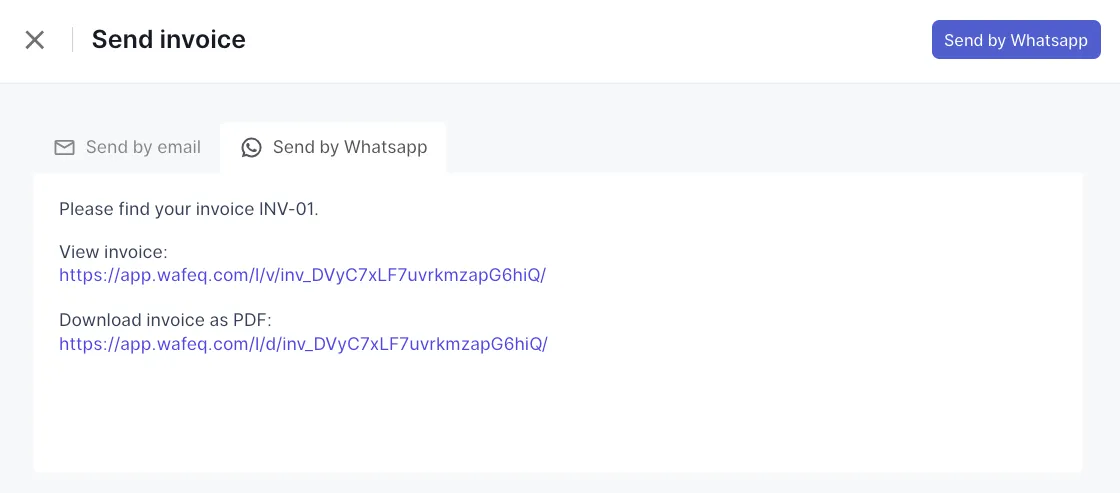
4. Now click on the Send by WhatsApp button.
5. Link your WhatsApp number by following the instructions on the WhatsApp new page, and you are done.
Send by Email
Send by Email
You can also use the send by Email option from the same page.


![New Product Features [March-2023]](https://firebasestorage.googleapis.com/v0/b/wafeq-docs.appspot.com/o/medias%2Fd68397dc_Help Center - EN Article Cover-22.png?alt=media)





.png?alt=media)